
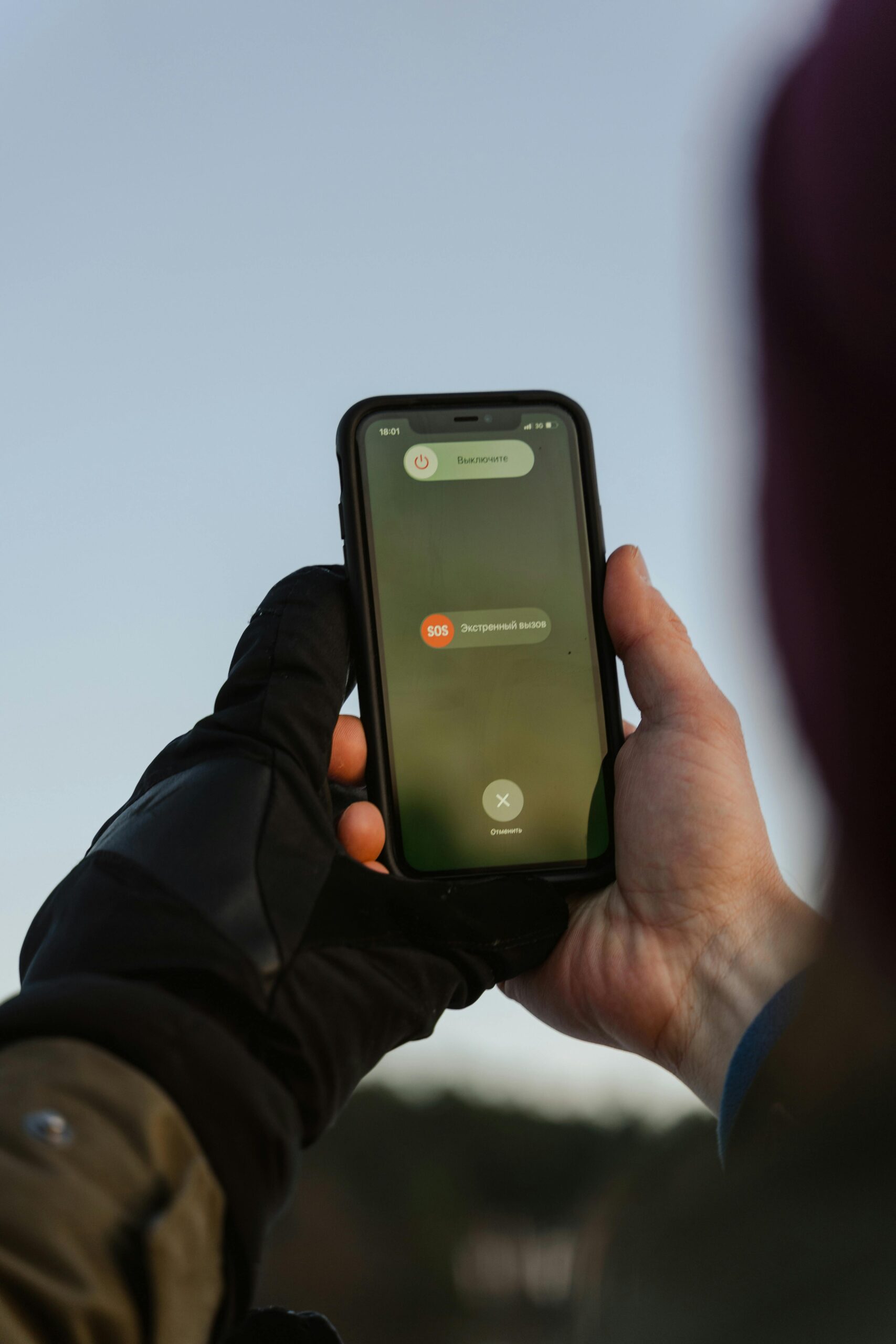
In today’s fast-paced world, UK emergency alerts on mobile phones play a crucial role in keeping the public informed during critical situations. As natural disasters, public safety threats, and health emergencies become more frequent, being prepared to receive these alerts is essential for everyone. Are you ready for the UK emergency alert system? This article delves into the importance of understanding how these notifications work and what you need to do to ensure you’re not caught off guard when an alert comes through.
The UK emergency alert mobile phones are designed to send vital information directly to your device in real-time, ensuring that you stay updated on situations that could affect your safety. But, do you know how to set up your phone to receive these alerts? Or even what types of emergencies these notifications cover? From severe weather warnings to public safety notifications, knowing the ins and outs of this system can significantly impact your preparedness. It’s not just about having the latest technology; it’s about being informed and equipped to respond swiftly.
Moreover, with the increasing reliance on mobile technology in our daily lives, the significance of these alerts cannot be understated. Engaging with the UK emergency alert system on your mobile phone is not just a precaution; it’s a necessity. As we explore the functionality and significance of these alerts, we’ll also provide tips on how you can ensure your device is ready to receive them. Stay with us as we uncover everything you need to know about UK emergency alerts on mobile phones and how to be fully prepared for any emergency that may arise.
Top 5 Reasons Why UK Emergency Alerts on Mobile Phones Could Save Your Life: Are You Prepared?
The UK has recently introduced a new emergency alert system that is designed to notify citizens about imminent threats or emergencies. With mobile phones being so ubiquitous now, this system could potentially save lives. But how prepared are you for these alerts? Let’s delve into the top five reasons why UK emergency alerts on mobile phones could indeed be lifesaving.
1. Immediate and Direct Communication
One of the primary reasons why these alerts are important is that they provide immediate information. In a crisis, traditional methods of communication, such as television or radio, might not be available or could be delayed. Mobile alerts, however, goes directly to your phone, ensuring that you receive timely updates.
For instance, during extreme weather events, such as floods or storms, alerts can warn you about evacuation routes or shelter locations. The immediacy of such messages can be crucial, especially when every second counts.
2. Coverage Across Various Regions
The UK emergency alert system is designed to cover all areas, from bustling cities to remote rural locations. This means that wherever you are, as long as you have a mobile phone and signal, you can receive life-saving information.
Some key points to consider:
- Alerts are sent to all compatible mobile phones in a designated area.
- You do not need to sign up; if your phone is compatible, you will automatically receive alerts.
- The system works even if you’re travelling or temporarily staying in a different region.
This universal coverage means that no matter where you are in the UK, you’re kept informed about local emergencies.
3. Multiple Types of Alerts
UK emergency alerts are not just one-size-fits-all. They can vary depending on the type of emergency. There are different alerts for severe weather conditions, public health emergencies, or security threats.
Here’s a breakdown of typical alerts you might receive:
- Weather Alerts: Warnings about storms, floods, or extreme temperatures.
- Public Health Alerts: Information about disease outbreaks or health emergencies.
- Security Alerts: Notifications regarding local threats or safety concerns.
This variety means that you can be better prepared for a range of scenarios. Each alert is tailored to provide relevant information based on the situation.
4. Enhanced Preparedness and Response
Receiving alerts on your mobile phone not only keeps you informed but can also prompt you into action. When you’re alerted about a potential threat, you may be more likely to take precautions or seek safety.
For example, if an alert indicates that a flood is imminent, you might decide to move your car to higher ground or prepare an emergency kit. The alerts serve as a catalyst for action, making you more proactive in your safety planning.
5. Community Awareness and Support
When an emergency alert is issued, it’s not just you who is informed. Whole communities receive the same information, which enhances collective awareness and response.
Consider this:
- If your area is under threat, others will be receiving the same alerts, encouraging community solidarity.
- Local authorities can coordinate responses more effectively when everyone is informed simultaneously.
- It can foster a sense of vigilance within the community, as people look out for each other during emergencies.
This community aspect can be invaluable during crises, as shared information can lead to better outcomes for everyone involved.
Are You Prepared for Alerts?
Knowing about the existence of the UK emergency alert system is one thing, but being prepared is entirely another. Here are some steps you might consider taking:
- Check Your Phone Settings: Make sure your device is set to receive emergency alerts.
- Stay Informed: Familiarise yourself with the types of alerts you might receive and what they mean.
- Create an Emergency Plan: Work with your family to develop a response plan in case an alert is issued.
- Stay Connected: Follow local news and social media for updates on emergencies.
Being aware and prepared can make a significant difference in how you respond to emergencies.
In conclusion, the UK emergency alert system on mobile phones represents a crucial advancement in public safety. By providing immediate information, ensuring wide coverage, and enhancing community awareness, these alerts can potentially save lives. Are you prepared to act when the alerts come through? Stay informed, stay alert, and make sure you’re ready to respond when it matters most.
How to Activate and Customize UK Emergency Alerts on Your Mobile Phone: A Step-by-Step Guide

In recent years, the UK has increasingly looked at ways to improve public safety through technology. One such initiative is the Emergency Alerts system, designed to inform people about emergencies like severe weather or public safety threats. But do you know how to activate and customise these alerts on your mobile phone? This guide will help you navigate through the steps so you can stay informed and prepared.
What Are UK Emergency Alerts?
UK Emergency Alerts are messages sent directly to mobile phones in specified areas during a crisis. They can provide essential information about incidents that may pose a risk to life or require immediate action. They are not just for natural disasters, they can also be used for public safety warnings, like terrorist threats or major accidents.
Some notable points about these alerts include:
- Real-Time Information: Alerts are issued in real-time, ensuring that you receive timely updates.
- Location-Based: The alerts are only sent to those in the affected areas, so you won’t receive irrelevant notifications if you are not in danger.
- Free of Charge: There are no costs associated with receiving these alerts, you don’t need to pay for the service.
How to Activate UK Emergency Alerts on Your Phone
Activating emergency alerts is a crucial step in ensuring you stay informed. Follow these steps to enable alerts on your mobile device:
Check Your Mobile Compatibility: Most smartphones are compatible, including recent models of iPhone and Android devices. If your phone is older than 2017, you may not receive these alerts.
Go to Settings: Open your phone’s settings app. It’s usually represented as a gear icon.
Find Notifications or Safety Settings: Depending on your phone brand, look for sections titled ‘Notifications’, ‘Sound & vibration’, or ‘Safety & emergency’.
Enable Emergency Alerts: You might see an option for ‘Emergency alerts’ or ‘Severe weather alerts’. Make sure to toggle this on.
Customise Your Preferences: Some devices allow you to choose the types of alerts you want to receive. You can typically select from severe weather warnings, local emergencies, or public safety alerts.
Save Changes: After selecting your preferences, don’t forget to save your changes before exiting the settings.
Are You Prepared for Alerts?
Having emergency alerts activated is just one part of being prepared. It’s also important to understand what to do when you receive an alert. Here’s a quick checklist to help you be ready:
- Stay Calm: Alerts can sometimes be alarming — it’s important to stay composed.
- Follow Instructions: Each alert will include steps on what to do next. Follow them carefully.
- Stay Informed: Use news outlets or official social media channels to get updates on the situation.
- Have a Plan: Make sure you and your family have a plan in place for emergencies, including meeting points and communication methods.
Customising Your Alerts
Customising your alerts can help ensure that you only get the information that matters most to you. Here are some options you might consider:
- Volume Settings: Adjust the alert volume to ensure you hear it, even if your phone is on silent.
- Vibration Patterns: Some phones allow you to set specific vibration patterns for emergency alerts, making them easily distinguishable.
- Alert Types: As mentioned, allow you to select which types of alerts you wish to receive, tailoring it to your needs.
Common Issues and Troubleshooting
Sometimes, you might face issues with receiving alerts. Here’s a list of common problems and how to resolve them:
- No Alerts Received: Check if your phone is compatible and if the emergency alerts are enabled in your settings.
- Missing Location Services: Ensure location services are turned on, as alerts are location-based.
- Outdated Software: Make sure your phone’s software is up to date, as older versions may not support emergency alerts.
Final Thoughts
Being prepared for emergencies is a crucial aspect of modern life. The UK Emergency Alert system offers a vital tool for keeping you informed during crises. Activating and customising alerts on your mobile phone is a straightforward process that can make a significant difference in how you respond to emergencies. Make sure you take the time to set up your alerts today. You never know when you might need that information. Stay safe and stay informed!
Understanding the UK Emergency Alert System: What You Need to Know for Your Safety

In recent times, the UK has seen a growing emphasis on public safety, leading to the introduction of the UK Emergency Alert System. This system is designed to keep citizens informed during emergencies and natural disasters, but many people still don’t fully understand how it works. With mobile phones being a primary means of communication today, knowing how the UK Emergency Alert mobile phones operate is crucial for your safety.
What is the UK Emergency Alert System?
The UK Emergency Alert System is a new initiative launched by the government to notify the public about serious incidents that could threaten life or property. This includes events like floods, fires, and terrorist attacks. The alerts are sent directly to mobile phones and other devices, ensuring that critical information reaches people quickly.
Some key features of the UK Emergency Alert System include:
- Real-time notifications: Alerts are sent out as soon as an emergency is identified.
- Location-based alerts: Notifications will only go to people in the affected area, reducing unnecessary panic elsewhere.
- Free of charge: There is no cost involved for receiving these alerts on your mobile phone.
The History of Emergency Alerts in the UK
Historically, the UK has relied on various forms of communication during emergencies, like radio broadcasts and public announcements. However, as technology advanced, the need for a more direct and immediate way to reach citizens became clear.
In 2021, the UK government began testing the system in partnership with mobile network operators. The aim was to create a robust alert system that could handle a variety of emergencies. The public response was largely positive, as many people saw the value in receiving timely information.
How Do UK Emergency Alerts Work on Mobile Phones?
When an emergency situation arises, the alert system sends a message to mobile phones in the affected area. Here’s a simple breakdown of how it works:
- Detection of an emergency: Local authorities identify a serious incident.
- Sending the alert: The emergency services send an alert to the mobile network providers.
- Mobile phone distribution: The network providers distribute the alert to all compatible devices in the area.
- User notification: People receive a loud notification sound, even if their phone is on silent.
Are You Prepared for Alerts?
Preparation is key. Here are some things you should do to ensure you’re ready for UK Emergency Alerts:
- Check your phone settings: Make sure that your device is capable of receiving emergency alerts. Most modern smartphones will automatically support this feature.
- Stay informed: Follow local news and updates about the alert system. Awareness of how it works can help you respond appropriately in emergencies.
- Educate family and friends: Share information about the alert system with those close to you. It’s always better to be prepared together.
Common Concerns About the UK Emergency Alert System
While the system is intended to help, some people may have concerns about privacy and the effectiveness of alerts. Here are a few points to consider:
- Privacy: The system does not collect personal data. It simply uses your location to send alerts.
- False alarms: There is always a concern about receiving alerts for minor incidents. However, authorities will strive to ensure that only serious events trigger alerts.
- Response time: People might question how quickly they will receive alerts. The system is designed to be as quick as possible, often within minutes of an incident being reported.
What You Should Know About Receiving Alerts
When you receive an alert, it will typically include the following information:
- A brief description of the emergency.
- Instructions on what to do next.
- Information about where to find further details.
Final Thoughts
Understanding the UK Emergency Alert System is essential for your safety and the safety of those around you. With the system being integrated into mobile phones, it provides an invaluable resource in times of crisis. By staying informed and prepared, you can ensure that you and your loved ones are ready to respond effectively when alerts come through. Keep your devices updated, and don’t underestimate the importance of being aware of your surroundings during any emergency situation.
Are You Ready? The Essential Checklist for Receiving UK Emergency Alerts on Your Mobile

Are you prepared for the unexpected? The UK government has recently rolled out a new emergency alert system that aims to keep residents informed during critical situations. This article aims to help you understand the essentials of receiving UK emergency alerts on your mobile phone, and whether you are ready for these notifications.
What Are UK Emergency Alerts?
UK Emergency Alerts are designed to provide timely information about emergencies that could affect your safety, such as severe weather, flooding, or other incidents requiring immediate action. Unlike traditional alerts, these notifications are sent directly to your mobile phone, ensuring that you receive vital information quickly.
These alerts can be sent via a range of methods, including SMS and push notifications, and they will work on 4G and 5G networks. The system is designed to be used by local authorities and the government, and it can reach a large number of people almost instantly.
Why Is This Important?
Understanding the importance of these alerts is crucial, especially in a fast-paced world where emergencies can occur without warning. Research indicates that timely information can save lives. For instance, during the severe flooding events in the UK, prompt alerts could have prompted quicker evacuations, potentially reducing risks to life and property.
Are You Ready? Essential Checklist for UK Emergency Alerts
Preparation is key to ensuring you stay informed and safe. Here’s a checklist to help you get ready for UK emergency alerts:
Check Your Mobile Compatibility: Most modern smartphones are compatible with the emergency alert system. However, it’s always good to check. Older models might not receive these alerts.
Enable Location Services: Ensure that your location services are activated on your mobile device. This allows the system to send alerts relevant to your area.
Update Your Phone: Keep your phone’s operating system updated. This may help to ensure that you receive alerts without any issues.
Familiarise Yourself with Alert Tones: The alerts will have a unique sound. Knowing what it sounds like can help you respond quickly.
Educate Yourself on Emergency Protocols: Understand what to do when you receive an alert. Familiarise yourself with local emergency services and their procedures.
Share Information: Talk to family and friends about the importance of emergency alerts. Make sure they are prepared as well.
What Will the Alerts Look Like?
When you receive an alert, it will typically include the following elements:
Header: A clear identifier that it is an emergency alert.
Message Content: Information regarding the emergency and actions you should take.
Action Instructions: Specific instructions on what to do next, which may include evacuation routes or safety tips.
How to Respond to Alerts
Each alert will come with detailed instructions. Here are some possible actions you might need to take:
Stay Indoors: If an alert indicates a threat outside, it’s crucial to stay indoors until further notice.
Evacuate: If instructed to evacuate, knowing your nearest safe route can save time and ensure your safety.
Follow Up: After receiving an alert, stay tuned for additional updates or communications from local authorities.
The Future of Emergency Alerts in the UK
The UK government aims to continue to refine and improve the emergency alert system. As technology advances, there will likely be more innovations in how these alerts are issued and the information they provide.
Integration with Other Services: Future alerts might integrate with apps and systems already in use, ensuring a more comprehensive approach to public safety.
Increased Community Engagement: There might be a push to engage communities more actively in preparedness efforts, helping to build a culture of readiness.
In Summary
Being prepared for UK emergency alerts is not just about technology; it’s about being informed and aware of your surroundings. The new mobile alert system is a significant step forward in public safety, but it requires that individuals take proactive steps to ensure they are ready.
By following the checklist and understanding the importance of these alerts, you can help safeguard yourself and your loved ones. Keep your mobile devices updated, familiarise yourself with emergency protocols, and ensure that you are part of a community that values safety and preparedness.
The Impact of UK Emergency Alerts: Real Stories That Highlight the Importance of Mobile Notifications

In a world where information is constantly at our fingertips, the advent of emergency alerts in the UK marks a significant step towards safeguarding citizens. The UK Emergency Alerts system, which sends notifications directly to mobile phones during critical situations, has become increasingly important. But what does that mean for us, and are we really prepared for alerts when they come? Let’s take a closer look at the impact of these alerts and hear some real stories that highlight their importance.
What Are UK Emergency Alerts?
The UK Emergency Alerts system sends messages to mobile phones when life-threatening emergencies occur. These alerts can cover a range of situations including severe weather, terrorist threats, or public health emergencies. The alerts are designed to warn people in specific areas of the country, ensuring they stay informed and safe.
- Alerts are sent out via the mobile network.
- They are free to receive and require no app installation.
- Users do not need to sign up to receive them; they are automatically distributed.
Historical Context of Emergency Alerts in the UK
Before the UK Emergency Alerts system was established, the country relied on various methods to communicate emergencies—news broadcasts, social media, and local announcements, but these methods could be unreliable. The system began trial runs in 2021 and officially launched in 2022, after several pilot programs and public consultations.
- 2021: Initial trials commenced in various regions.
- 2022: Official launch of the nationwide alert system.
- The system aims to reach every mobile phone user in the UK, making it one of the most comprehensive alert systems in Europe.
Real Stories That Illustrate the Importance of Alerts
Real-life incidents have demonstrated just how crucial these alerts can be. Here are a few stories that underscore their impact:
Severe Weather Warning in London: During a severe storm, residents received alerts about high winds and potential flooding. Many people reported that they had time to prepare, moving their cars to higher ground and securing loose items in their gardens.
Birmingham Terror Threat: In a recent incident, an alert was sent out when there was a credible threat in Birmingham. The notification advised people to avoid certain areas and stay indoors. A local resident mentioned how the alert provided them with peace of mind, knowing they were informed and could take safety measures.
Health Emergency Notification: During a public health scare, alerts were sent to inform people of necessary health precautions. Many individuals praised the alerts for ensuring they knew what steps to take to protect themselves and their families.
Are You Prepared for Alerts?
While the technology behind UK Emergency Alerts is impressive, being prepared for these notifications is equally important. Here are some tips to ensure you are ready when an alert comes through:
Check Your Mobile Settings: Ensure that your phone can receive emergency alerts. Typically, this should be enabled by default, but it’s good to double-check.
Stay Informed: Follow local news and government announcements to understand what types of alerts may be sent in your area.
Create an Emergency Plan: Discuss with your family what actions to take when an alert is received. This might include where to meet or how to contact each other.
Differences Between Mobile Alerts and Other Notification Systems
It’s important to note how mobile alerts differ from traditional notification systems.
| Feature | Mobile Alerts | Traditional Systems |
|---|---|---|
| Reach | Direct to mobile phones | Requires action (e.g., tuning in) |
| Speed | Immediate notification | Can be delayed |
| Cost | Free for users | May involve subscription fees |
| Geographic Targeting | Specific to areas | General broadcasts |
The Future of Emergency Alerts in the UK
As we look ahead, the UK Emergency Alerts system is likely to evolve further. With advancements in technology, we may see improvements in the types of alerts sent, as well as how effectively they reach people. The government is working on integrating more data-driven insights into the alerts to ensure they are as timely and relevant as possible.
Moreover, public feedback continues to shape the system, making it a truly collaborative effort between the government and citizens.
In an era where being informed can mean the difference between safety and danger, the UK Emergency Alerts system is a vital tool. The stories shared by individuals underscore not just the utility of mobile notifications, but their life-saving potential. As we adapt to this new normal, staying prepared and informed remains crucial. The next time an alert comes through on your phone, remember, it might just be the message that keeps you safe.
Conclusion
In conclusion, the introduction of emergency alerts on mobile phones in the UK marks a significant step forward in public safety and disaster preparedness. As we explored, these alerts are designed to inform citizens about imminent threats such as severe weather events or public safety emergencies, ensuring that timely information is accessible to all. The system operates effectively through a combination of mobile networks and local authorities, providing crucial updates directly to users’ devices. It’s important for individuals to stay informed about how these alerts work and what actions to take when they receive one. By engaging with this system and understanding its implications, we can all contribute to a safer community. Therefore, we encourage everyone to familiarise themselves with the emergency alert protocols and remain vigilant. Together, we can enhance our resilience in the face of unforeseen challenges.