
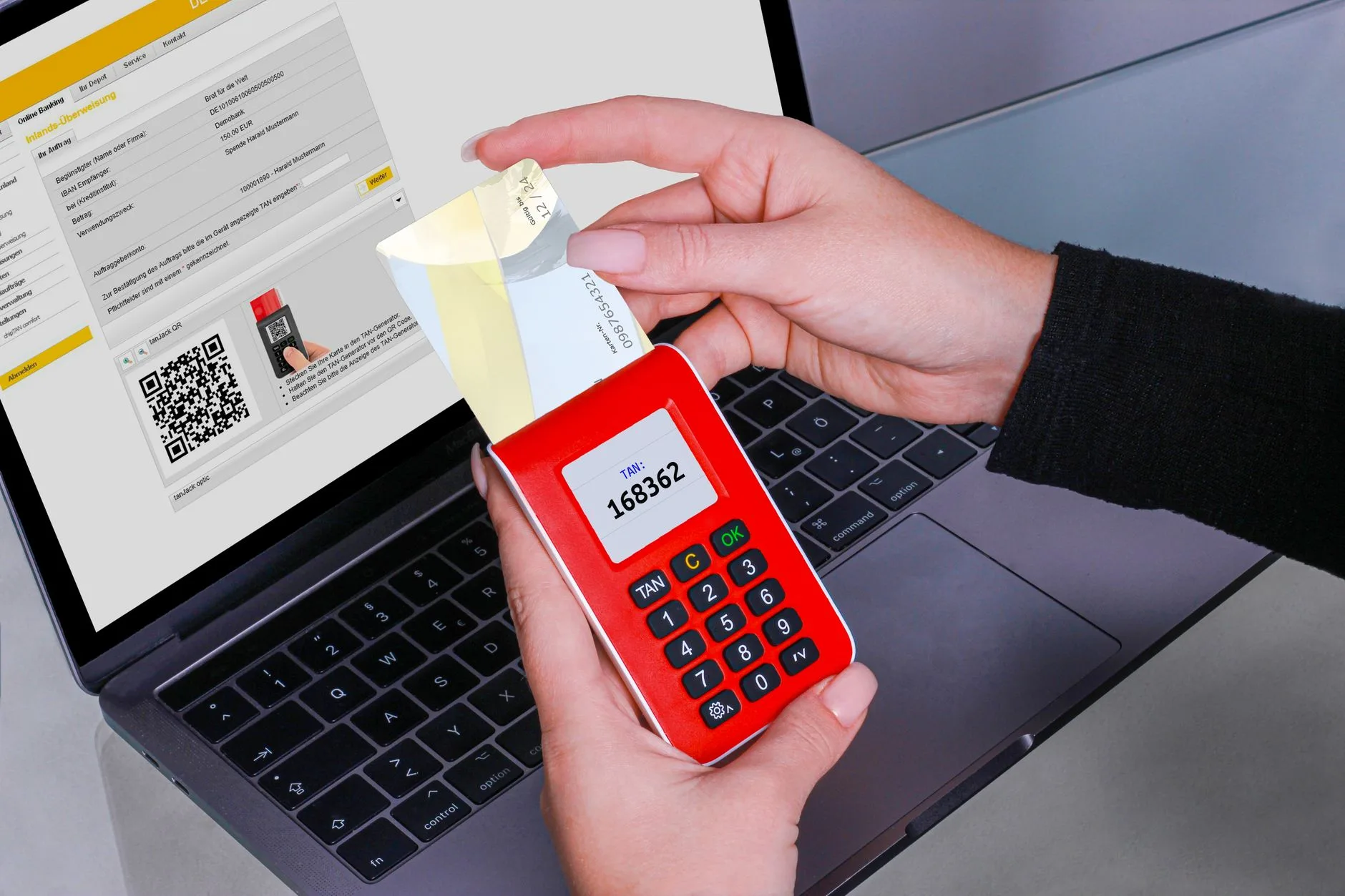
So, does Tinder have two-factor authentication? The answer is a simple no. Unlike some other dating apps, Tinder doesn’t offer this essential security feature out of the box. Don’t worry, we’ve got you covered with a comprehensive guide to help you stay safe online and explore alternative security measures.
As a single person looking for love online, you deserve to know the truth about online security and how to protect yourself from potential threats. In this article, we’ll walk you through the importance of two-factor authentication, why Tinder doesn’t have it, and what you can do to safeguard your online presence.
Is Two-Factor Authentication a Must-Have?
What is Two-Factor Authentication?
Two-factor authentication is a crucial security feature that adds an extra layer of protection to your online accounts. It’s a must-have in today’s online landscape, where cyber threats and identity theft are on the rise.
For example, when you log in to your Tinder account, two-factor authentication would require you to enter not only your password but also a code sent to your phone. This makes it much harder for hackers to gain access to your account, even if they have your password.
Unfortunately, Tinder does not offer two-factor authentication by default, but some dating apps like Bumble and Hinge do have this feature. If you’re concerned about online security, it’s worth exploring alternative dating apps that offer two-factor authentication.
Why is Two-Factor Authentication Important
Two-factor authentication is essential for protecting your online presence from cyber threats and identity theft. For instance, if you have two-factor authentication enabled on your email account, a hacker who gains access to your password won’t be able to reset your password or access your account without your phone or authenticator app. This is because they won’t have access to the second factor, which is the code sent to your phone or generated by the app.
This extra layer of security makes it much harder for attackers to gain unauthorized access to your account. Imagine if a hacker got hold of your password and started sending emails or messages from your account. With two-factor authentication, you’d receive a notification on your phone, alerting you to the suspicious activity and giving you time to take action.
By enabling two-factor authentication, you’re significantly reducing the risk of identity theft and protecting your personal data. It’s a crucial step in safeguarding your online security and peace of mind.
Here are some common two-factor authentication methods:
- Email codes
- Authenticator apps like Google Authenticator or Authy
- U2F keys
- Biometric authentication like fingerprint or facial recognition
These methods provide an additional layer of security, making it more difficult for hackers to gain unauthorized access to your account.
Does Tinder Offer Two-Factor Authentication?
Tinder's Two-Factor Authentication Status
Tinder does not have two-factor authentication by default, which means you can’t add an extra layer of security to your account beyond just a password. This is a concern, as it leaves your account vulnerable to password hacks and phishing scams. For example, if someone gains access to your password, they could gain control of your account and send messages or make changes without your knowledge or consent.
However, it’s worth noting that some popular dating apps, like Bumble and Hinge, do offer two-factor authentication. This might be something to consider if you value your online security and want to use alternative dating platforms.
Here are a few alternatives to Tinder that offer two-factor authentication:
| Platform | Two-Factor Authentication Method | Security Level |
|---|---|---|
| Bumble | SMS OTP | High |
| Hinge | Email-based authentication | Medium |
| OKCupid | Authenticator app | High |
Keep in mind that while these alternatives have two-factor authentication, their security levels may vary. For example, SMS OTP is generally considered more secure than email-based authentication, but an authenticator app is the most secure option.
In any case, it’s essential to be cautious and take extra precautions to protect your online identity, even with two-factor authentication enabled on your chosen platform.
Other Dating Apps with Two-Factor Authentication
While Tinder does not offer two-factor authentication by default, some dating apps have caught up with this essential security feature. For instance, Bumble and Hinge have implemented two-factor authentication to add an extra layer of security to their users’ accounts.
These apps require users to enter a verification code sent to their phone or email in addition to their password when logging in. This makes it much harder for hackers to gain unauthorized access to their accounts.
Bumble and Hinge’s two-factor authentication also often provide the option to use third-party authenticator apps, such as Google Authenticator or Authy, to generate time-based codes.
For users who value their online security, exploring alternative dating apps with two-factor authentication can be a great option.
Here are a few other popular dating apps with two-factor authentication:
- OkCupid
- Zoosk
- Match.com
By considering these alternatives, you can enjoy a safer online dating experience while still connecting with potential matches.
How to Enable Two-Factor Authentication on Tinder (If Available)
Enabling Two-Factor Authentication on Tinder
To enable two-factor authentication on Tinder, unfortunately, you can’t. However, you can set up a password manager to secure your account. For instance, you can use a password manager like LastPass to store your login credentials and generate a secure email address. This will help you avoid using the same password across multiple platforms, which is a common pitfall in online security.
Here’s a step-by-step guide to get you started:
- Step 1: Sign up for a password manager service like LastPass.
- Step 2: Store your Tinder login credentials in the password manager.
- Step 3: Generate a secure email address using the password manager.
- Step 4: Use the secure email address to sign in to Tinder.
Additionally, you can explore alternative dating apps that offer two-factor authentication, such as Hinge, which has a verification solution that uses SMS OTP Secure Login. This will provide an extra layer of security to your online accounts.
By following these steps and exploring alternative security measures, you can stay safe online and protect yourself from potential threats.
Alternative Security Measures on Tinder
Unfortunately, you can’t enable two-factor authentication on Tinder, but there are alternative security measures you can take to protect yourself. One way to do this is to set up a password manager, which can generate and store unique, strong passwords for all your online accounts. For example, you can use a password manager like LastPass or 1Password to generate a unique password for your Tinder account and store it securely alongside your other login credentials.
Another option is to use a secure email address to receive account verification codes. This way, even if someone gains access to your password, they won’t be able to access your account because they won’t have your email address. You can also enable two-factor authentication for your email account itself, so that even if someone gains access to your email account, they still won’t be able to receive account verification codes.
By taking these simple steps, you can add an extra layer of security to your Tinder account and protect yourself from potential online threats.
Here are some additional ways to set up a password manager:
- Download a password manager from a reputable app store.
- Create an account and set up a master password.
- Generate unique, strong passwords for all your online accounts.
- Store your passwords securely in the password manager.
Common Pitfalls to Avoid
Weak Passwords and Email Addresses
When it comes to online security, weak passwords and email addresses are a major vulnerability that can leave you exposed to hackers and scammers. Using a weak password or email address can compromise not only your Tinder account but also other sensitive accounts tied to the same email address or password.
This is because many people use the same password and email address across multiple online accounts, a practice known as password reuse.
To avoid this, use a strong and unique password for each online account, and avoid using easily guessable information such as your name, birthdate, or common words.
For your email address, use a secure and unique email address that is not linked to any other sensitive accounts.
Consider using a password manager to generate and store unique, complex passwords for each account.
Additionally, use two-factor authentication (2FA) whenever possible to add an extra layer of security to your accounts.
Phishing Scams on Tinder
Phishing Scams on Tinder
Tinder’s lack of two-factor authentication makes it more vulnerable to phishing scams. One of the most common types of phishing scams is when a user receives a message from someone claiming to be their match, asking for sensitive information.
For example, a scammer may claim to be a user’s match and ask them to verify their account by clicking on a link or providing their login credentials. This can lead to identity theft and other cyber threats.
Here are some warning signs of a phishing scam:
- Urgent or threatening messages that ask for sensitive information.
- Links or requests to verify your account.
- Requests for personal or financial information.
Remember, never provide sensitive information to someone you don’t know, and always be cautious of messages that seem suspicious or urgent.
To avoid falling victim to phishing scams, use strong and unique passwords for all your online accounts, and be wary of messages that ask for sensitive information.
Advanced Security Measures
Two-Factor Authentication on Other Dating Apps
Two-factor authentication is a valuable feature to have on dating apps, and it’s not exclusive to Tinder. Other dating apps like Bumble and Hinge offer two-factor authentication to provide an additional layer of security.
For instance, Bumble requires users to enter a code sent to their phone or email when logging in from an unfamiliar device.
If you’re looking for alternative dating apps with two-factor authentication, consider exploring popular options like Hinge, OkCupid, and Plenty of Fish.
Here are some notable apps that offer two-factor authentication:
- Hinge: Text-based verification codes sent to your phone
- OkCupid: Authenticator app or verification code via email
- Plenty of Fish: Code sent to your phone via SMS or authenticator app
Additionally, consider using a virtual private network (VPN) to protect your data when browsing dating apps. A VPN can mask your IP address and encrypt your online activity, making it more difficult for hackers to intercept sensitive information.
Monitoring your online accounts for suspicious activity is also essential to prevent identity theft. Regularly check your account statements and credit reports for any unusual activity.
Security Measures Beyond Two-Factor Authentication
Security Measures Beyond Two-Factor Authentication
While two-factor authentication provides an additional layer of security, there are other measures you can take to protect yourself on Tinder and beyond.
Consider using a Virtual Private Network (VPN) when browsing the internet or using dating apps.
A VPN encrypts your internet traffic and hides your IP address, making it more difficult for hackers to track your online activities.
Additionally, monitor your online accounts for suspicious activity and be cautious of phishing scams that may ask for sensitive information.
Here are some steps you can take to enhance your online security:
- Set up a password manager to generate and store unique, strong passwords for all your online accounts.
- Use a secure email address and avoid sharing it with others.
- Keep your operating system and apps up to date with the latest security patches.
By taking these extra precautions, you can significantly reduce the risk of cyber threats and identity theft on Tinder and other online platforms.
Remember, online security is an ongoing process, and it’s essential to stay vigilant and adapt to new threats and vulnerabilities as they emerge.
Myth vs Fact: Two-Factor Authentication on Tinder
Tinder's Two-Factor Authentication Status
Tinder’s Two-Factor Authentication Status
Tinder does not offer two-factor authentication by default, unlike some other dating apps like Bumble and Hinge. This means that if someone has your login credentials, they can access your account and potentially engage in malicious activity.
However, you can take steps to enhance your security on Tinder. One option is to set up a password manager and use a secure email address. This will make it more difficult for hackers to gain access to your account, even if they manage to obtain your login credentials.
For example, if you use a password manager, you can generate a strong, unique password for your Tinder account that is not associated with any other online accounts.
Another option is to explore other dating apps that do offer two-factor authentication, such as Bumble or Hinge. This can provide an additional layer of security for your online dating activities.
Ultimately, while Tinder’s lack of two-factor authentication is a concern, there are steps you can take to protect yourself and your online identity.
Misconceptions about Two-Factor Authentication
Misconceptions about Two-Factor Authentication
Some people believe that two-factor authentication is a complex process that requires significant technical expertise, but the truth is that it’s surprisingly simple to implement.
For instance, when you sign up for a service that offers two-factor authentication, you’ll typically be asked to enter a code sent to your phone via SMS or an authenticator app.
While this may seem like an extra step, it’s a crucial one that can protect your account from unauthorized access in case your password is compromised.
Here are a few common misconceptions about two-factor authentication:
- Myth: Two-factor authentication is only for large businesses and enterprises.
- Fact: Anyone can use two-factor authentication, regardless of the size of their organization or the number of users.
- Myth: Two-factor authentication is a hassle to set up and use.
- Fact: Most services offer simple and intuitive two-factor authentication options that can be set up in minutes.
- Myth: Two-factor authentication is only necessary for high-risk accounts.
- Fact: Anyone can benefit from two-factor authentication, even if they don’t consider their account to be high-risk.
When it comes to online security, it’s always better to err on the side of caution and take advantage of available security features like two-factor authentication.
Key Takeaways
Two-Factor Authentication on Tinder
Two-factor authentication is a valuable security feature that provides an extra layer of protection against cyber threats and identity theft.
Unfortunately, Tinder does not offer two-factor authentication by default, making it more vulnerable to hacking and phishing scams.
However, there are alternative security measures you can take to protect yourself on Tinder:
- Two-factor authentication is not available on Tinder by default.
- You can use a password manager to create and store unique and strong passwords for all your online accounts.
- Be cautious of phishing scams that ask for sensitive information, such as email addresses or phone numbers.
For example, consider using a password manager like LastPass or 1Password to generate and store unique and strong passwords for all your online accounts, including your Tinder account.
Additionally, be cautious of phishing scams that ask for sensitive information, such as email addresses or phone numbers. To do this, always verify the authenticity of the message or link before clicking on it or providing any personal information.
Related Reading: Secure Account Verification: Protecting Your Online Accounts and Security
Alternative Security Measures
Two-factor authentication is a valuable security feature that can greatly reduce the risk of online threats and identity theft. By requiring a second form of verification, such as a code sent to your phone or a fingerprint scan, you can add an extra layer of protection to your online accounts. For example, if a hacker manages to guess or steal your password, they will still need the second form of verification to access your account, making it much harder for them to cause harm.
While Tinder does not offer two-factor authentication, there are other security measures you can take to protect yourself. Here are some alternative security measures to consider:
Consider exploring other dating apps that offer two-factor authentication, such as Bumble or Hinge. These apps require you to provide additional verification to log in, adding an extra layer of security to your online accounts.
Use a virtual private network (VPN) to encrypt your internet traffic and protect your online activity from being intercepted. This can be especially useful when using public Wi-Fi or when accessing your online accounts from an unsecured network.
Regularly monitor your online accounts for suspicious activity and immediately report any suspicious behavior to the platform or your bank.
- Set up two-factor authentication on other apps and websites that offer the feature.
- Use a password manager to generate and store unique, strong passwords for all your online accounts.
- Be cautious of phishing scams and never provide sensitive information in response to unsolicited emails or messages.
Common Questions and Answers
Is Two-Factor Authentication Available on Tinder?
Is Two-Factor Authentication Available on Tinder?
Tinder does not have two-factor authentication by default. This means that if you’re using Tinder, you don’t have the option to enable the extra layer of security that two-factor authentication provides.
However, this doesn’t mean you’re completely defenceless. Other dating apps like Bumble and Hinge do offer two-factor authentication, which can help keep your account safe from potential threats.
- Not being aware of alternative options: Many users don’t realize that other dating apps offer two-factor authentication, leaving their accounts vulnerable. A better approach is to explore alternative dating apps with this feature.
What are the Benefits of Two-Factor Authentication?
What are the Benefits of Two-Factor Authentication?
Enabling two-factor authentication adds an extra layer of security to your online accounts, protecting you from cyber threats and identity theft. For example, if your password is compromised, the second form of verification, such as a code sent to your phone, prevents an attacker from accessing your account. This is especially important for dating apps like Tinder, where sensitive information is shared.
Two-factor authentication also makes it more difficult for scammers to use phishing tactics, as they would need both your password and the second form of verification to access your account. This reduces the risk of identity theft and financial loss.
Some dating apps, like Bumble and Hinge, offer two-factor authentication by default, but Tinder does not. However, you can set up a password manager and use a secure email address to add an extra layer of security.
By using two-factor authentication, you can significantly reduce the risk of your account being compromised, and enjoy a safer online dating experience.
- Protects you from cyber threats and identity theft
- Makes it harder for scammers to use phishing tactics
- Reduces the risk of financial loss
Frequently asked questions (in English)
What is the difference between two-factor authentication and two-step verification?
Two-factor authentication (2FA) and two-step verification (2SV) are often used interchangeably, but 2FA is a more comprehensive security measure. 2FA uses a second form of verification beyond a password, such as a code sent to your phone, while 2SV typically only requires two different passwords. Think of 2FA as an additional layer of protection, whereas 2SV is simply an extra obstacle.
How can I set up two-factor authentication on other dating apps?
Check your app’s settings or security section for 2FA options. Look for a toggle or button to enable 2FA, and follow the instructions to link a phone number or authentication app like Authy or Google Authenticator. Some apps may require a separate download or setup process for 2FA.
What are the benefits of two-factor authentication beyond online dating security?
Two-factor authentication extends beyond online dating to protect your accounts on social media, email, and financial services. It adds an extra layer of security against phishing, hacking, and identity theft. By requiring a second form of verification, you can safeguard your sensitive information and reduce the risk of unauthorized access.
Can I use two-factor authentication on my phone or computer?
You can use 2FA on both your phone and computer, but it’s essential to set it up on each device separately. Typically, you’ll need to link a phone number or authentication app to your device, and then enable 2FA in the app or browser settings.
How can I stay safe on Tinder without two-factor authentication?
While 2FA is ideal, there are still ways to enhance your online safety on Tinder. Use a strong, unique password, keep your profile private, and be cautious when swiping through profiles. Avoid sharing personal info or meeting someone from the app in person until you’ve gotten to know them better. Regularly log out of the app when finished using it, and consider using a VPN when accessing public Wi-Fi.
What to do next
While Tinder may not offer two-factor authentication, there are still steps you can take to enhance your online security. First, consider switching to dating apps like Bumble or Hinge, which do offer two-factor authentication. Additionally, use a password manager and set up a secure email address to protect your online identity. Finally, explore the option of using a VPN and regularly monitoring your accounts for suspicious activity. By taking these steps, you can significantly improve your online security and peace of mind.